SFA / Enterprise
Web App
Solo Designer
Product Relaunch
The Problem
Clobz Sales had been in the market for years, but its UI was actively losing deals. The interface carried the visual language of early 2000s enterprise software sharp edges, red CTAs, zero typographic hierarchy, and no spacing consistency. For field sales teams in FMCG, pharma, and manufacturing, a tool they interact with daily felt punishing to use.
The trigger wasn't internal frustration it was commercial. The product was failing at the demo stage. Prospects saw the interface and lost trust in the product's capability before the feature walkthrough even began. The decision was clear: full visual and UX overhaul before the next sales push.
Before - OLD UI
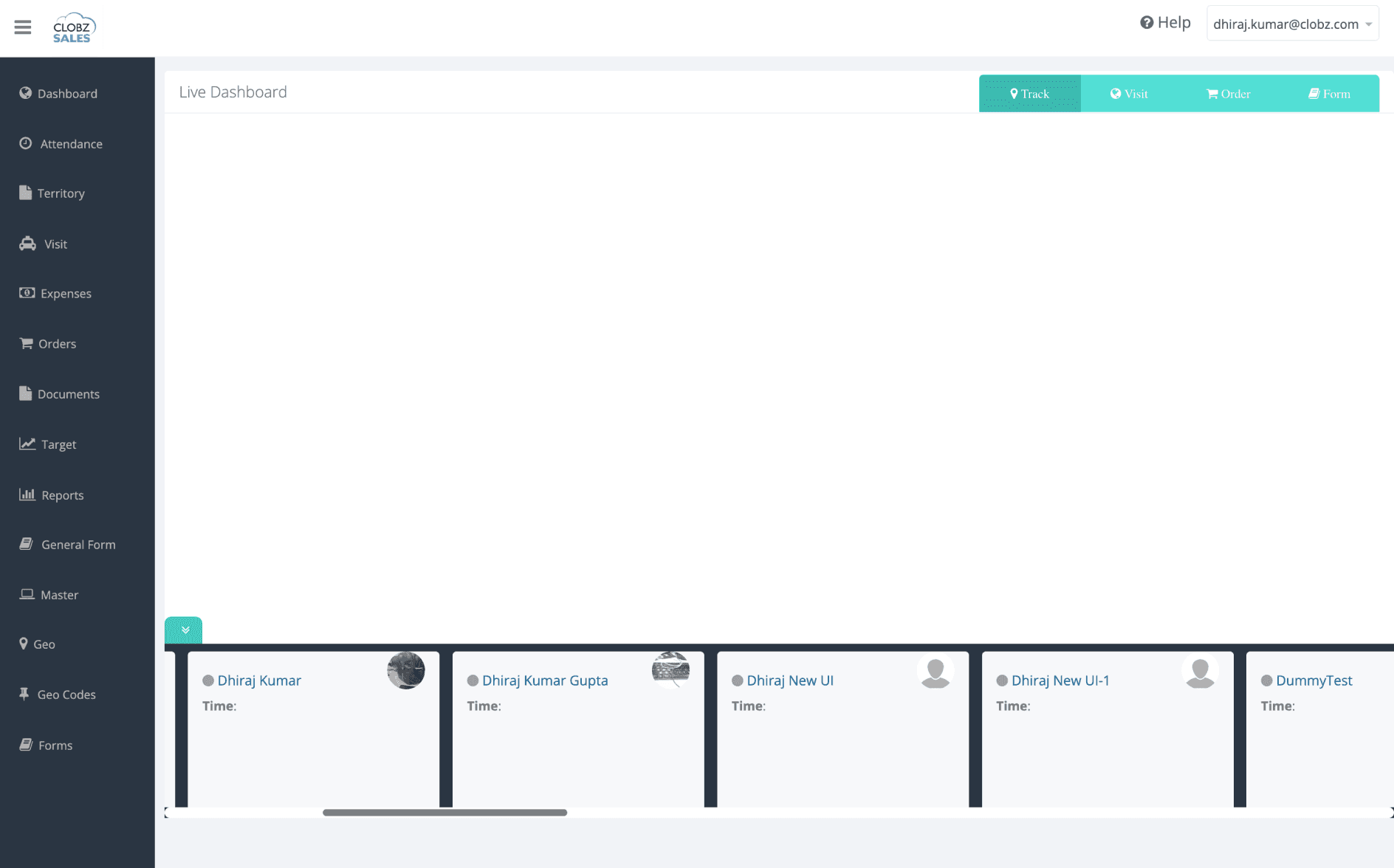
No dashboard — managers had zero at-a-glance visibility into field operations
Red CTAs, no colour system
Tables unreadable rows expanded awkwardly
No confirmation on destructive actions
No filters scroll through everything
After-Redesign
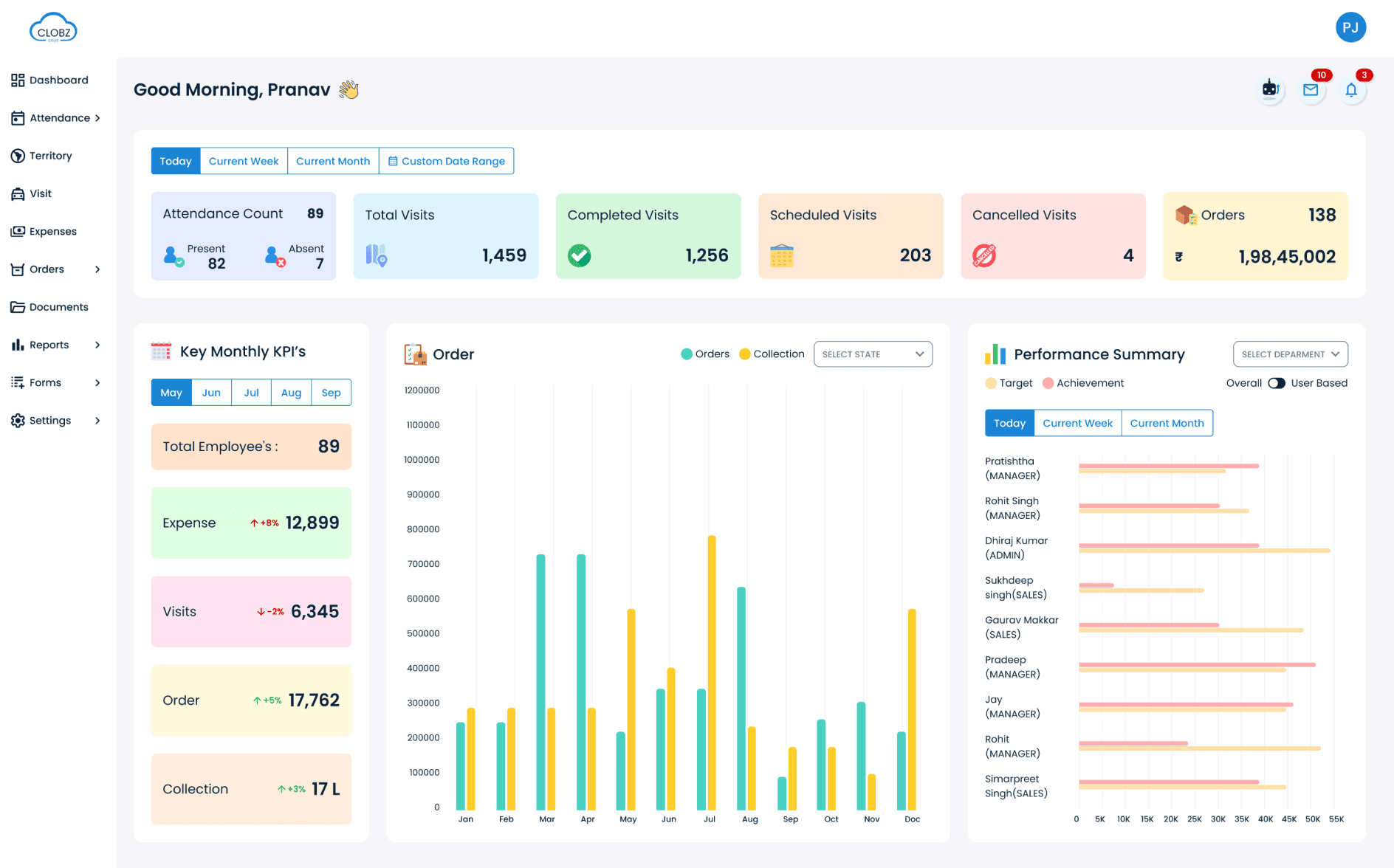
Clean enterprise design language
Semantic colour system, consistent CTAs
Clear heading / body / caption hierarchy
Condensed tables merged data, readable rows
Confirmation modals across all destructive actions
Multi-filter system across all data modules
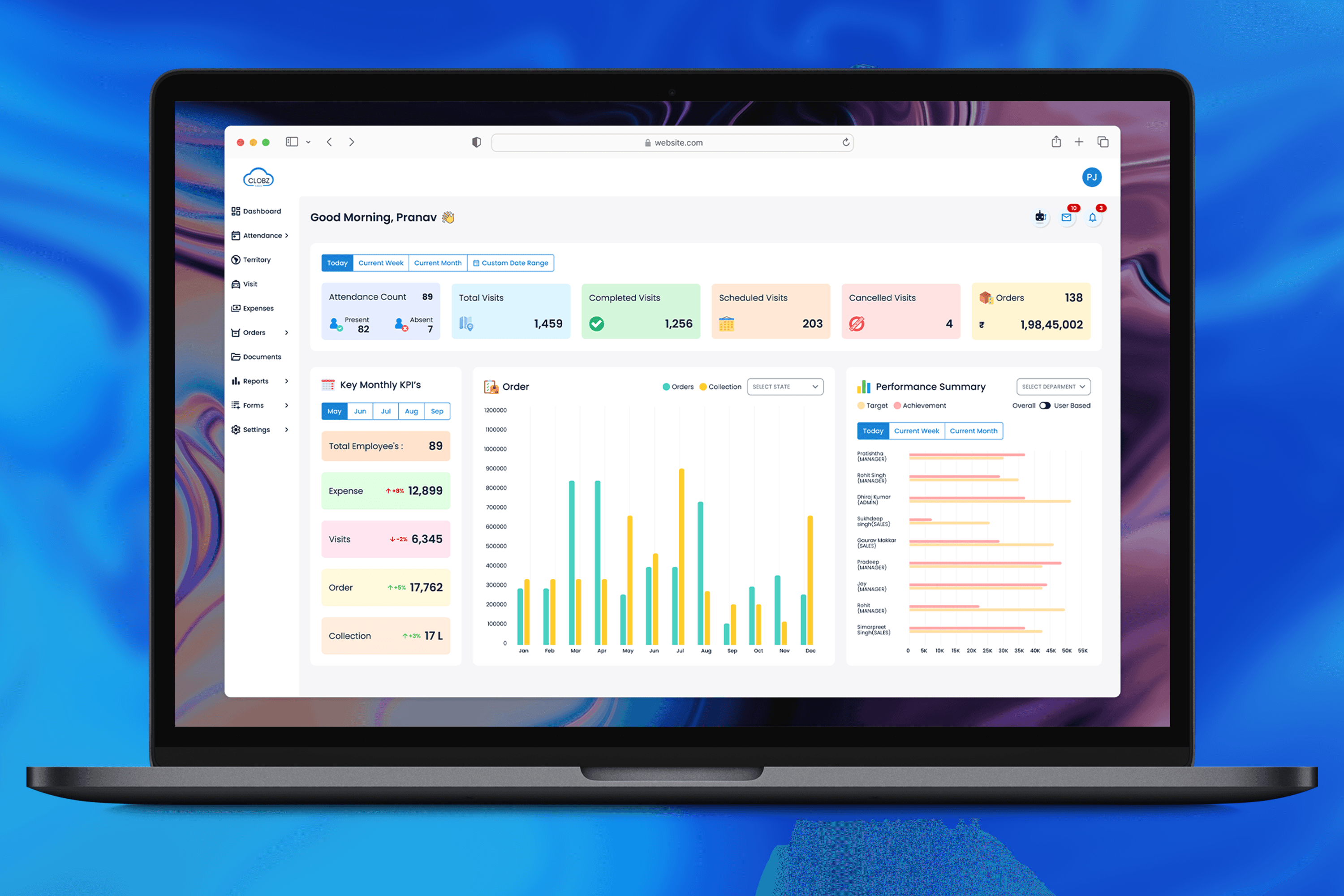
Dashboard surfaces all KPIs at a glance
The starkest example
A manager checking today's attendance had to navigate to the Attendance module, manually apply a date filter, then count or read through a numbered list. Three steps for one daily routine. The redesigned dashboard shows Present, Absent, and Total employees the moment the app opens.
My Approach
I had no prior experience with SFA tools at this scale. So I started by using the existing application myself module by module to map every flow and identify friction before touching Figma. For modules where the logic wasn't clear, I worked directly with the founder to understand business intent.
For competitive reference, I studied Zoho CRM and Apollo specifically how they handle data-dense layouts, navigation depth, and filter systems at scale. Zoho uses a side-panel filter drawer; Apollo surfaces filters inline above the table. I chose a combined inline multi-filter approach because field managers don't filter by single category they query by combination. That use case needed filters visible and active simultaneously, not tucked away.
The founder's brief was direct
The old UI was losing deals. We needed something credible enough to convert prospects in a live demo. That commercial framing shaped every decision clarity and professionalism over cleverness.
01
Discover use the product, find the gaps
Used the existing Clobz app across all modules to map every flow and friction point. For unclear modules, worked directly with the founder to understand business logic and intended behavior before making any design decisions.
02
System design system before screens
Built the full component library in Figma first: color tokens, typography scale, form elements, tables, modals, nav components. This ensured every screen drew from the same foundation and made 129 screens achievable solo in 1.5 months.
03
Screens module by module, system-first
Designed all 10 modules and 45 sub-modules applying the system consistently. Dashboard was built last only after understanding what data every other module produced so the aggregated view was accurate, not assumed.
04
Prototype interactive, not PDF
Delivered a fully linked Figma prototype. The founder interacted with screens as if they were live. The dev team used it as the functional spec replacing a PDF workflow that had previously caused significant build ambiguity.
Design System
Built from scratch in Figma before a single product screen was designed. Covered the full spectrum of an enterprise SFA interface: color tokens with semantic purpose, typography scale, spacing rules, form elements, data tables, navigation patterns, modals, and confirmation interactions.
Material Icons chosen deliberately familiarity reduces cognitive load for non-technical field users, and the complete set covers every SFA use case without workarounds.
Primary
#1B84D5
CTA • Links
Secondary
#19E8E3
Highlights
Success
#39CF3E
Completed
Error
#D00000
Delete
Warning
#E5B310
Pending
Text Primary
#08233A
Headings
Text Secondary
#717E8A
Body text
Stroke
#CECECE
Borders
Surface
#F6F5F8
Table BG
White
#FFFFFF
Cards
02 TYPOGRAPHY SCALE
H1
Heading
Sales Dashboard
Poppins
26px / 1.2
H2
Subheading
Performance Summary
Poppins
20px / 1.3
H3
Section title
Total Visits This Month
Poppins
16px / 1.4
Body
Default text
Field reps can view assigned territories and log visits.
Poppins
14px / 1.6
Caption
Meta / hints
Last updated 2 mins ago • Auto-refreshed
Poppins
12px / 1.5
Label
Form / UI
SELECT USER TYPE
Poppins
11px / caps
03 CORE COMPONENTS
BUTTONS
Export
Export
Add Visit
STATUS BADGES
Completed
Cancelled
Pending
Scheduled
Fixed semantic colors used across modules.
FORM INPUTS
Employee Name
Rahul Sharma
Expense Amount
abc
Enter valid amount in ₹
CONFIRMATION MODAL
Delete visit record
This action cannot be undone.
Cancel
Delete
Honest gap
The design system was built for Figma-to-developer fidelity but devs substituted a different icon library during build because it was easier to integrate. The product is being updated to realign. This is why design system adoption requires explicit documentation and a shared agreement, not just a clean Figma file.
01
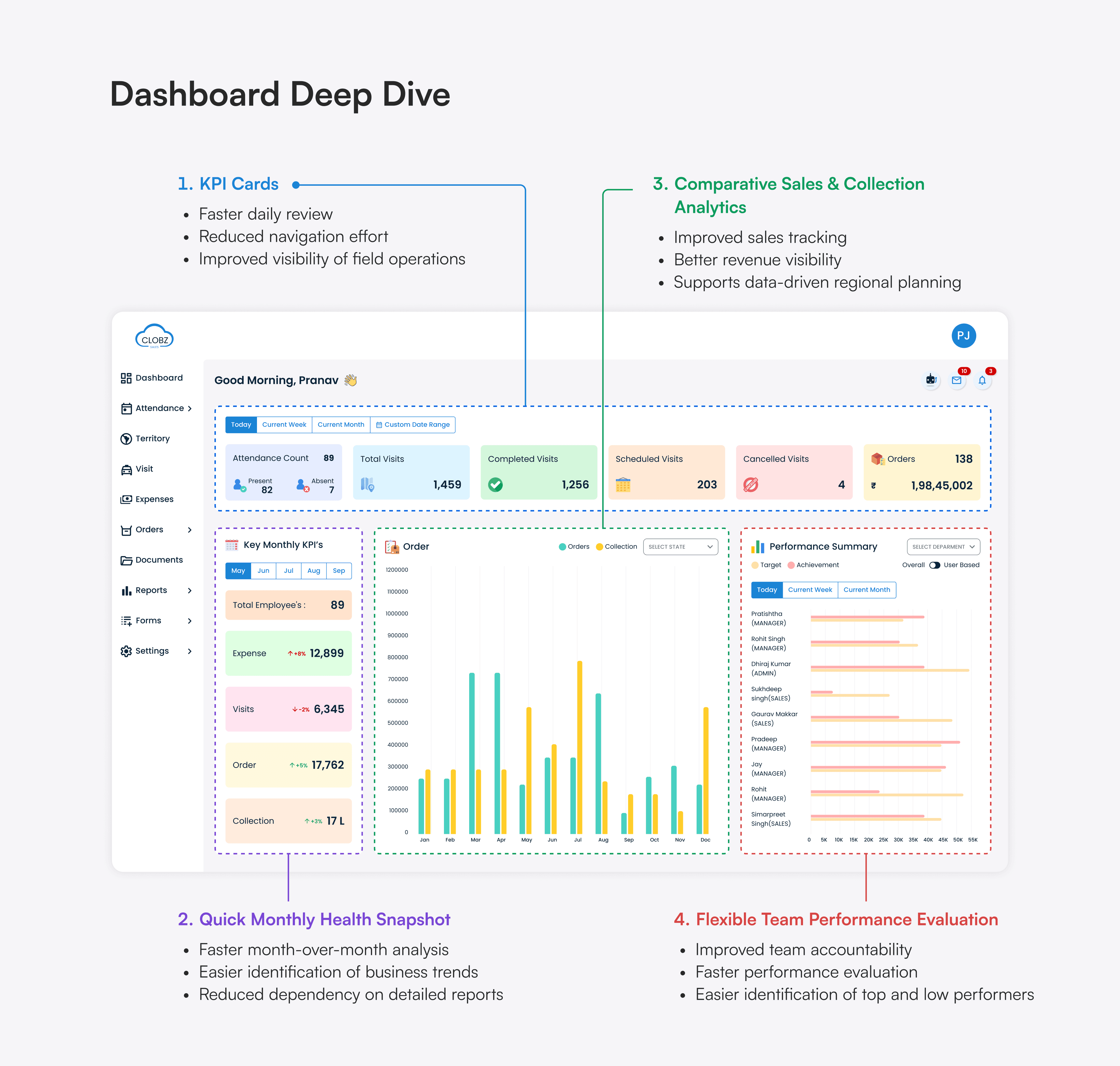
KPI cards row
Attendance, visits, orders at the top most time-sensitive data first, scannable in under 3 seconds.
02
Monthly KPI panel
Trend indicators give directional signal at a glance without opening the Reports module.
03
Orders bar chart
Orders vs. Collection overlaid managers see the fulfilment gap by month in one view.
04
Performance toggle
Dropdown + toggle lets a manager drill to any individual rep's data without leaving the dashboard.
The most complex UX problem here was performance visibility. A manager oversees both other managers and field reps. I solved this with three controls a performance card showing aggregate metrics by default, a dropdown to select any manager or rep, and a toggle to switch between views entirely. Three UI elements. Zero additional screens.
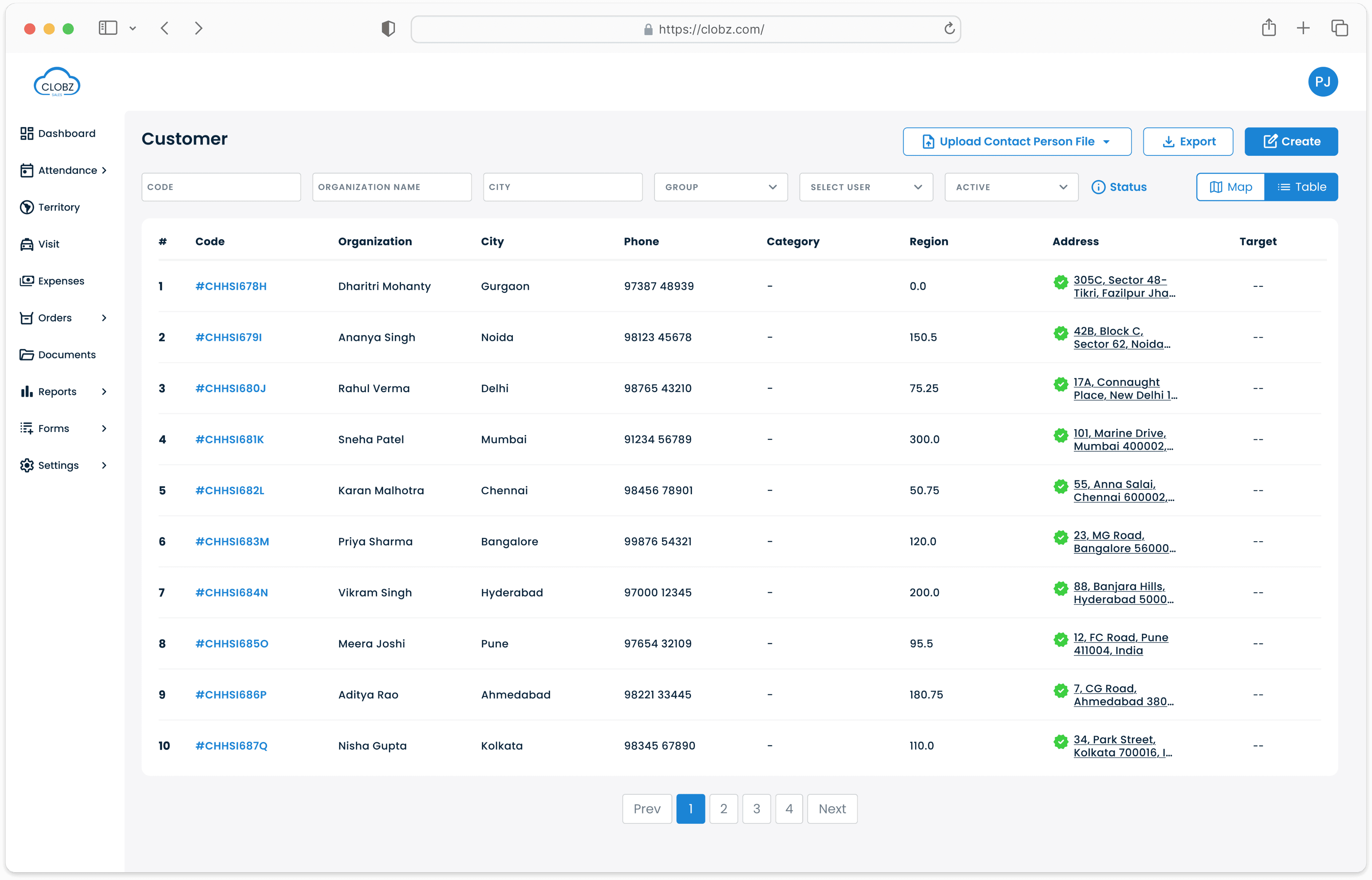
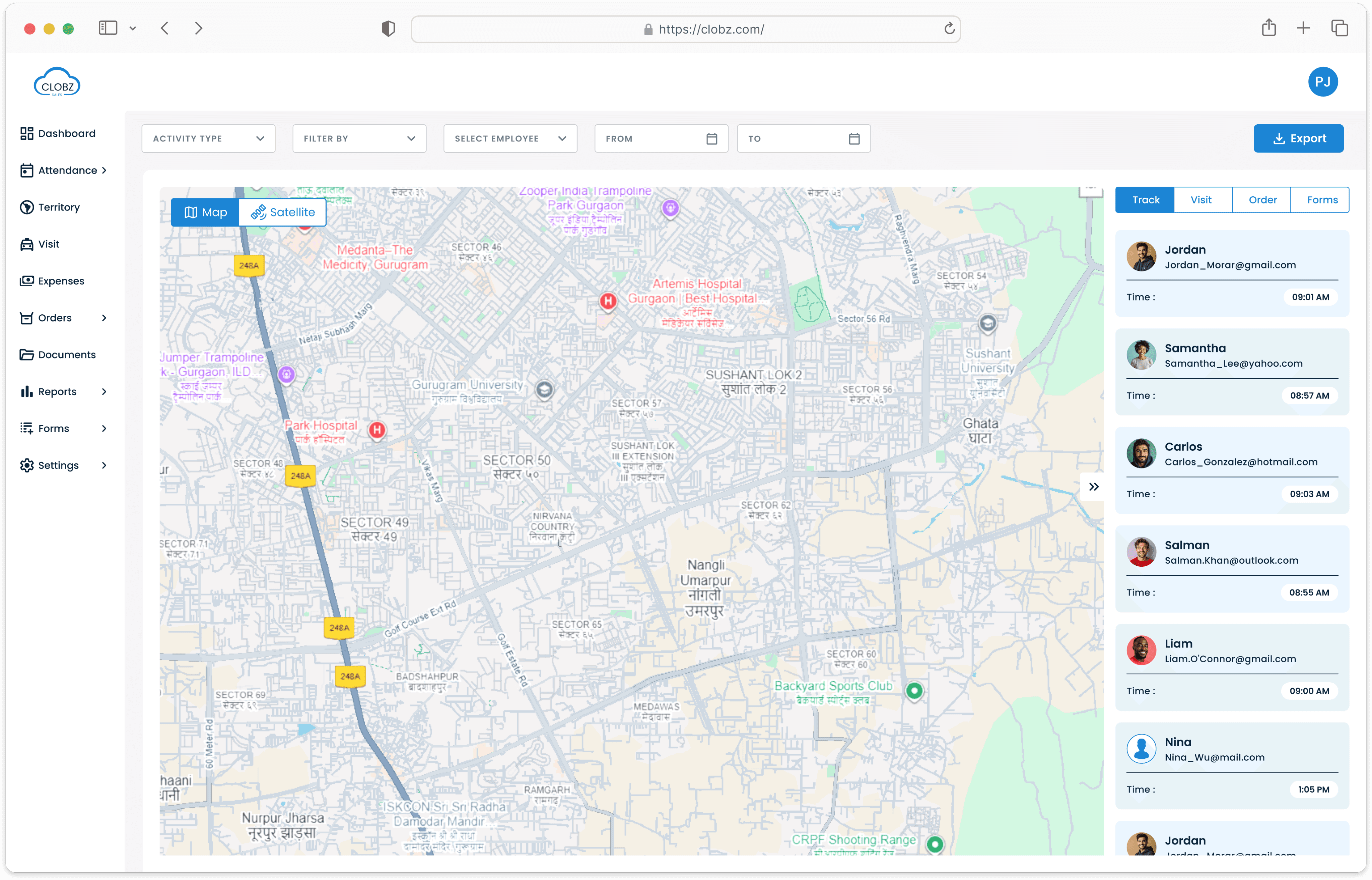
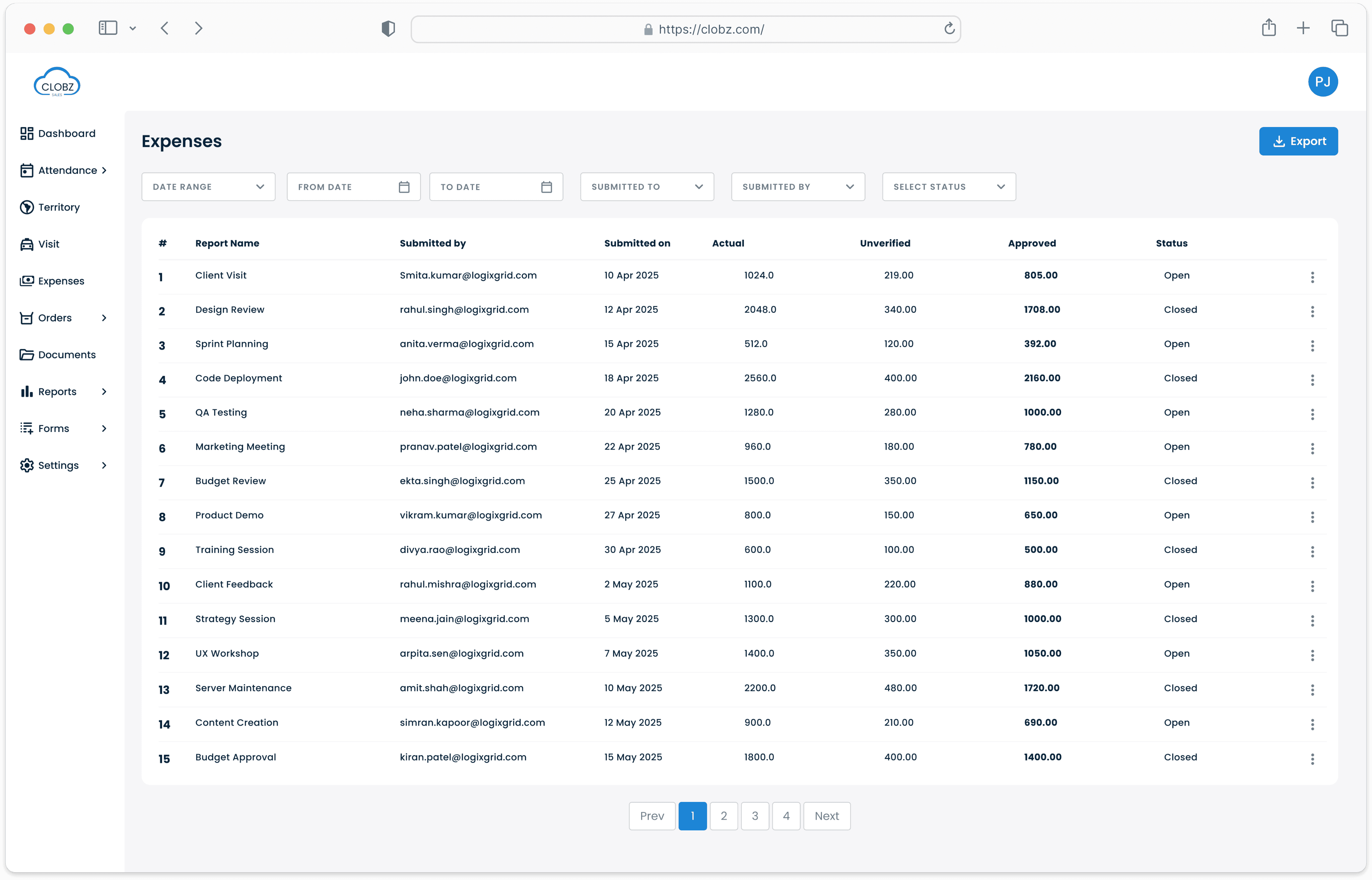
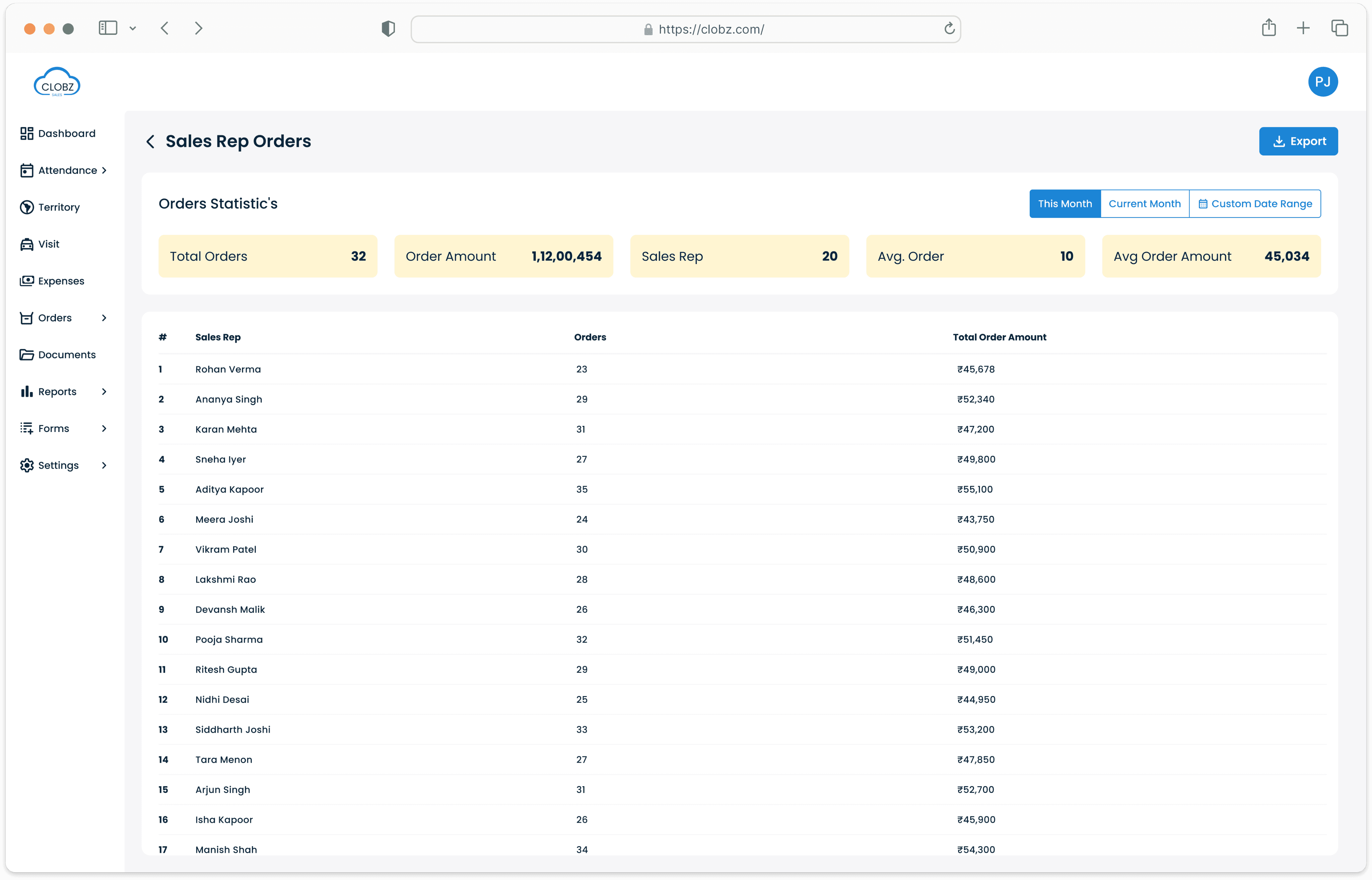
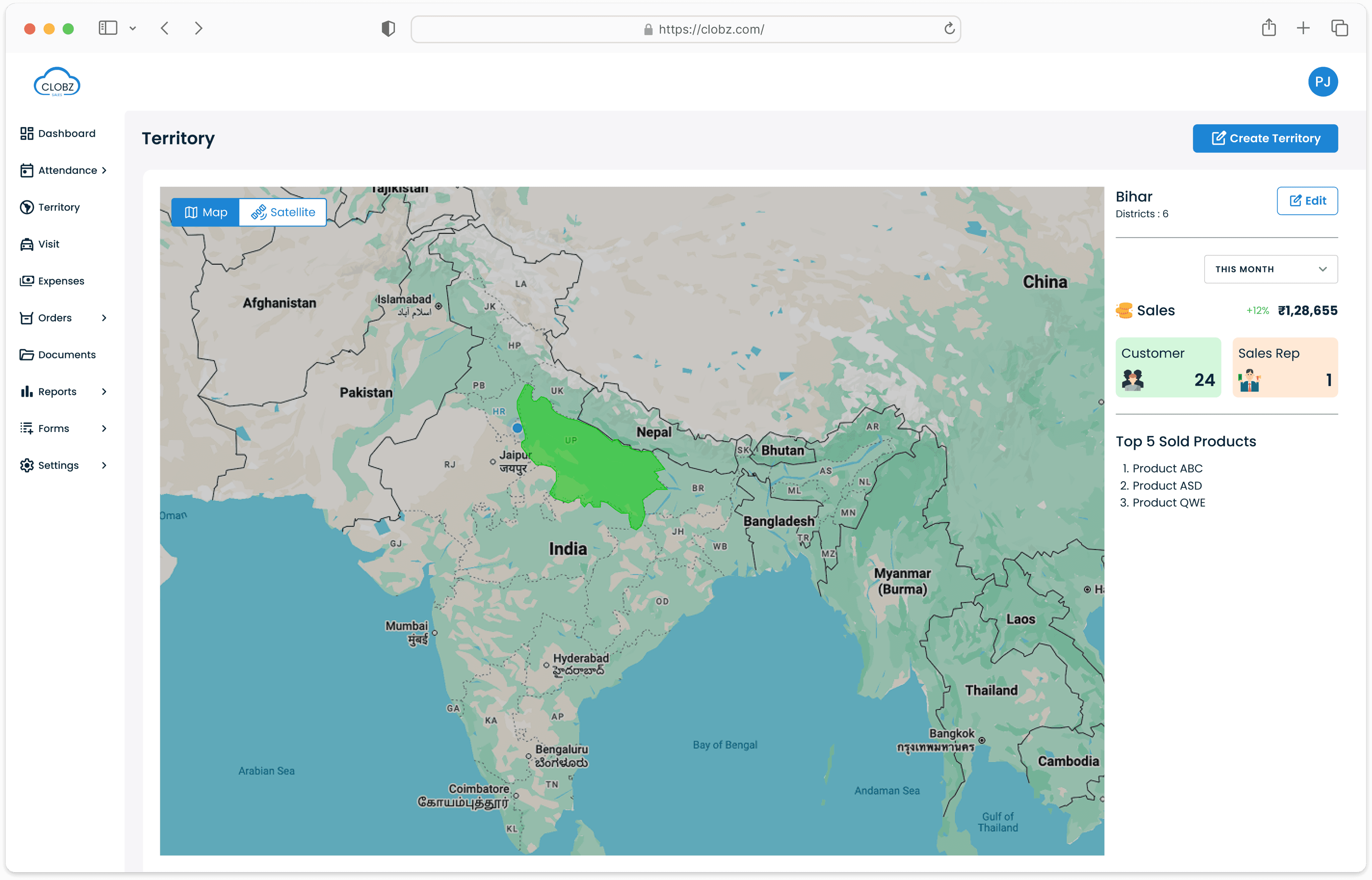
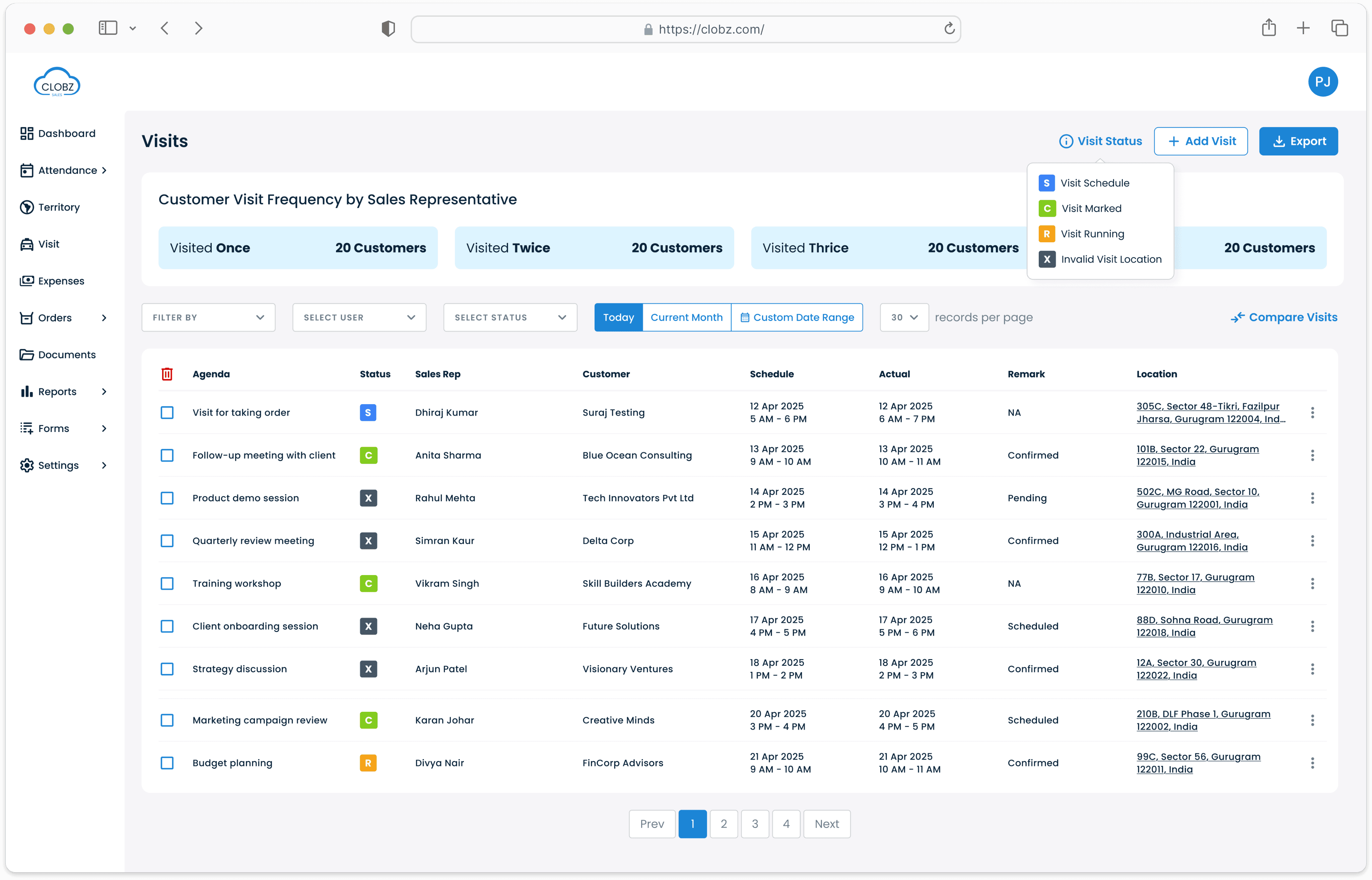
The redesign covered 10 modules and 45 sub-modules each serving a distinct function in the field sales workflow. The challenge wasn't designing each in isolation; it was maintaining UX consistency across modules with completely different data structures and user intents.
Territory and Visit required careful thought around geographic data hierarchy (zone → region → rep). Reports had the highest data density demanding a table system that handles large exports without becoming unreadable. Dashboard was built last, only after understanding what data each other module produced.
Key Design Decisions
01
Decision
Rethinking dense tables merging data instead of truncating it

The Problem:
Every module's table was unreadable. Multi-line fields like contact details, addresses, and notes caused rows to expand vertically. The table didn't feel like a table it felt like a stacked form.
Options:
Remove fields; make rows horizontally scrollable; prioritize fields with founder; merge related data into single cells.
The Solution:
Merged related data email below contact name, date and time combined, status badges condensed inline. No data removed; table height dropped significantly.
Why:
If the new UI had the same visual weight as the old one, the redesign would fail its purpose. Merging preserved all data while restoring scannability.
02
Decision
Introducing confirmation modals and convincing a skeptical founder
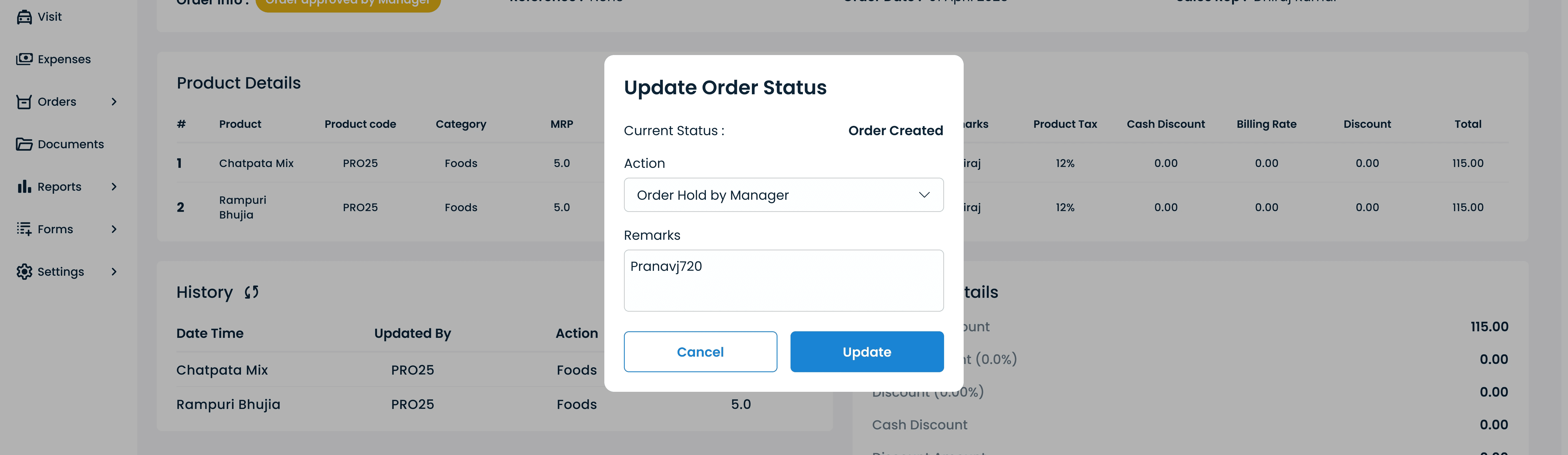
The Problem:
No delete confirmation, no modal pattern anywhere. Misclicks caused data loss with no recovery path. Users had no clarity on what action they were performing.
Options:
Open a new screen for confirmations; inline destructive warnings; modal overlays for confirmations and lightweight inputs.
The Solution:
Introduced modals across all destructive actions and secondary inputs keeping users in context rather than navigating away.
Why:
The founder (ex-Google) pushed back immediately citing UX research that modal overlays create cognitive shock for users accustomed to page-based flows. His concern was legitimate. Rather than arguing the principle, I built the interaction in the prototype and walked him through it live: dimmed background to signal context preservation, a single clear primary action, and no unexpected state changes. The concern dissolved in under two minutes. The pattern was adopted across every destructive action in the product. This was the moment I understood that a working prototype isn't just a handoff tool it's the most efficient stakeholder alignment tool a designer has.
Stakeholder pushback: Founder initially rejected modals citing cognitive shock concerns for non-technical users. Resolved through live prototype demonstration.
03
Decision
Building a multi-filter system to replace endless scrolling

The Problem:
Finding any specific record required scrolling through entirely unfiltered lists. No search, no filter, no sort. For managers tracking dozens of field reps across territories, this was operationally painful every single day.
Options:
Basic search bar only; side panel filter drawer; inline column filters; multi-filter system with user, date, status, and territory combinations.
The Solution:
Implemented multi-filter across all data-heavy modules allowing simultaneous filtering by employee, date range, status, and territory to extract exactly the data slice needed.
Why:
A search bar solves name lookup. Multi-filter solves real operational queries: "show me all cancelled visits by this rep in this territory last week." That's the actual use case for a field manager. Solving that use case is the difference between a tool that's usable versus one that's just visually cleaner.
Outcome & Impact
The product shipped and is currently live with active clients. Quantitative usage metrics aren't available due to client data privacy but the qualitative signals from the relaunch are clear and meaningful.
01
Dashboard changed daily manager behavior
What previously required 3–4 navigation steps (Attendance → filter → count) now happens at a glance. Managers began reviewing team performance at day end independently — a behavior that hadn't existed before, observed by the founder during the first week post-launch.
02
Non-technical users navigating without training
Field reps and managers with no product background are using the application without support. Contextual help text, consistent empty states, and confirmation patterns eliminated the "what just happened?" confusion.
03
Prototype replaced PDF dev velocity improved
The Figma prototype became the functional spec for both developers. The previous designer delivered PDFs, leaving devs to guess connections. The interactive prototype eliminated that ambiguity and significantly reduced build back-and-forth.
04
Commercial goal achieved
The primary objective a UI credible enough for client demos was met. The redesigned product is now actively used in sales cycles. The founder's response to the prototype walkthrough: the first time anyone at the company had seen their product feel live before shipping.
Reflection
What I'd do differently
Given more time, I'd go beyond visual redesign into flow reduction. Several modules have features clients rarely use those add cognitive load without value. I'd conduct user interviews and A/B test form flows specifically to cut what isn't earning its place in the UI.
What I'm most proud of
The UI consistency across all 10 modules. Users can move between Dashboard, Expenses, and Reports and feel they're in the same product throughout. That coherence built from a design system first approach is what makes non-technical users feel capable rather than lost.
What I'll carry forward
A design system isn't just a Figma file it needs a shared adoption agreement, documented rationale, and a handoff process that treats component fidelity as a build requirement. And always show work in motion. The prototype convinced a skeptical founder and aligned a dev team. A PDF would have achieved none of that.
“Consistency is not a visual preference it's a trust signal. When users move between modules and encounter the same interaction patterns, the same table behavior, the same confirmation language, they build confidence in the system. That confidence is what makes non-technical users feel capable rather than lost. Consistency is the UX.”